Beyond Passwords: Why Passkeys and Multi-Factor Authentication Are the Future of Online Security
We’ve all heard the advice: use strong passwords, don’t reuse them, and change them regularly. Despite years of awareness campaigns, many people still use weak or repeated passwords across multiple accounts. Even users who follow best practice often struggle to keep track of dozens of unique credentials for work, banking, shopping, social media, and other online services.
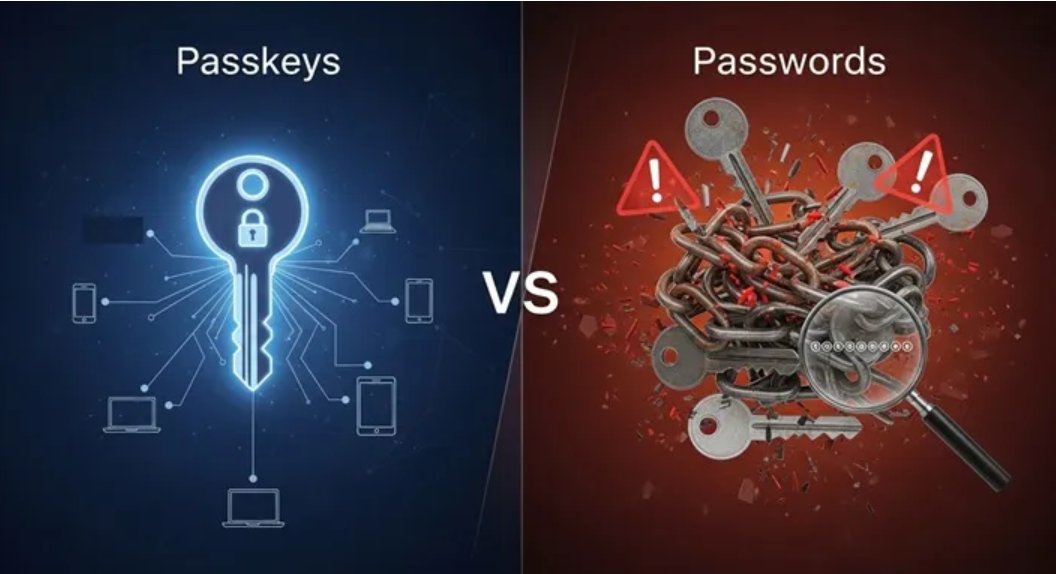
Passwords have become one of the weakest points in modern cybersecurity. They’re difficult to manage, easy to forget, and remain a frequent target for cybercriminals. As online threats continue to evolve, relying on passwords alone is no longer enough. Technologies such as multi-factor authentication (MFA) and passkeys offer a more secure and practical approach to protecting online accounts.
Password reuse remains widespread, and many of the world’s most common passwords are still “password”, “admin”, and “123456” credentials that can be guessed in seconds using automated tools. Once a password is exposed in a data breach, attackers routinely try the same credentials on other websites, a technique known as credential stuffing. For many people, a single compromised password can provide access to multiple accounts.
What is a passkey?
A passkey is a modern authentication method that allows users to sign in to websites and applications without entering a traditional password. Instead, users verify their identity using a trusted authentication method on their device, such as a fingerprint, facial recognition, a device PIN, or a security key.
Behind the scenes, passkeys use public-key cryptography instead of shared passwords. When a passkey is created, the device generates two cryptographic keys: a public key and a private key. The public key is stored by the website or application, while the private key remains securely stored on the user’s device and never leaves it.
When the user signs in, the website sends a unique cryptographic challenge to the device. After the user verifies their identity, the private key signs the challenge and sends the signed response back to the website. The website then verifies the signature using the stored public key. Because the private key never leaves the device or is stored on external servers, attackers cannot steal it through a database breach or intercept it during authentication.
However, passkeys are not without their challenges. While support has expanded rapidly across major operating systems and browsers, not every website or application offers passkey sign-in yet. As adoption continues to grow, many organisations will need to support both passwords and passkeys during the transition.
Understanding Multi-Factor Authentication
Although passkeys are designed to replace passwords, many online services still rely on password-based authentication. This is where multi-factor authentication provides an important additional layer of protection.
MFA requires users to verify their identity using two or more independent authentication factors. In most cases, this means entering a password followed by a second verification step, such as a one-time code from an authenticator app, a push notification on a trusted device, or a hardware security key.
Even if an attacker manages to steal a user’s password, they would still need access to the second authentication factor before they could sign in. While no authentication method is completely immune to attack and MFA can be bypassed or hijacked in certain scenarios, it remains one of the most effective ways to reduce the risk of unauthorised access. Using an authenticator app on a trusted mobile device is generally considered one of the most secure MFA methods, as it offers stronger protection than SMS-based verification against common attacks.
Why passkeys are changing the game
Microsoft has reported that password-based accounts are attacked thousands of times more often than accounts protected by passkeys or other phishing-resistant authentication methods.
Passkeys also make signing in much simpler. Instead of creating and remembering a different password for every account, users authenticate with a passkey stored securely on their device. Many platforms can securely synchronise passkeys across trusted devices using services such as iCloud Keychain or Google Password Manager, making it easy to sign in whether you’re using a phone, tablet, or computer.
The benefits extend beyond convenience. Passwords are expensive to manage, with forgotten passwords and account recovery generating a significant number of help desk requests. Reducing reliance on passwords can lower support costs, improve the user experience, and simplify the deployment of secure authentication across an organisation.
Password managers can also help improve password security while organisations transition towards passwordless authentication. They allow users to generate and securely store strong, unique passwords for each account, reducing the need to remember multiple passwords or reuse the same one across different services. Many password managers encrypt the password vault and protect it using a master password, often with the option of enabling MFA or, in some cases, passkey-based authentication for additional security. Although they do not remove the need for passwords entirely, password managers reduce the risks associated with weak or reused passwords and provide a practical stepping stone towards broader adoption of passkeys and other phishing-resistant authentication methods.
Passwords have served the digital world for decades, but they were designed for a very different era. As support for passkeys continues to grow and MFA becomes standard across more services, password-only authentication is gradually becoming the exception rather than the rule. Organisations that adopt these technologies now will be better prepared for a future where stronger, phishing-resistant authentication is the norm rather than an optional extra.